


Add Digital Signature to PDF for Certificates
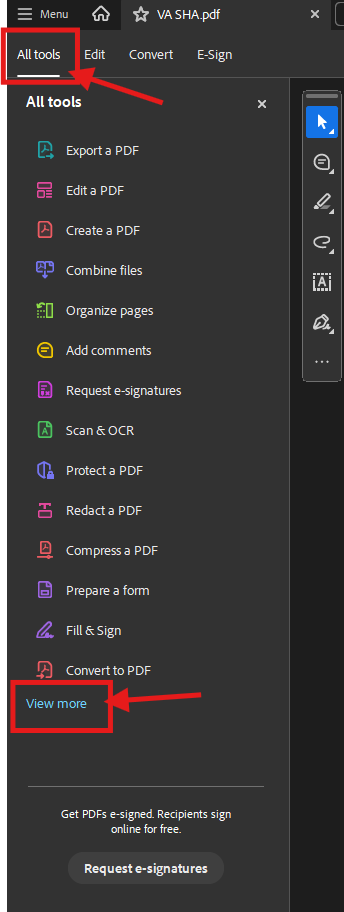
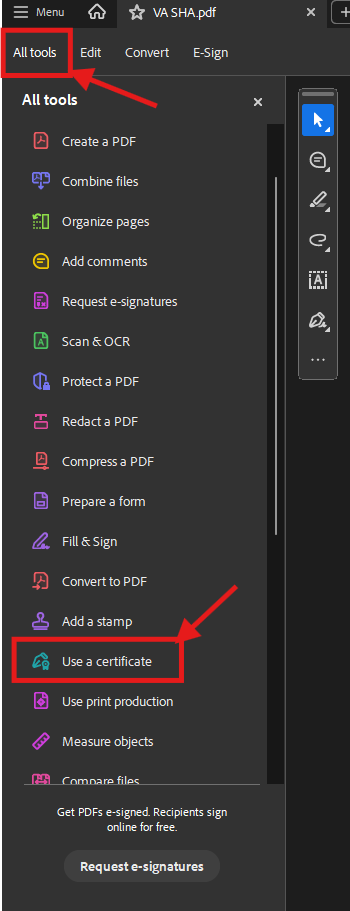
1. With a PDF file opened in Adobe, select “All tools”, then “View more”, then “Use a certificate”
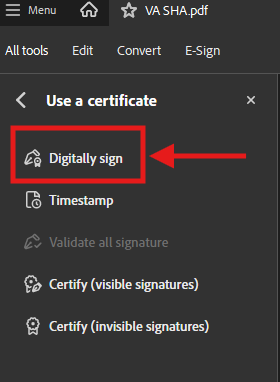
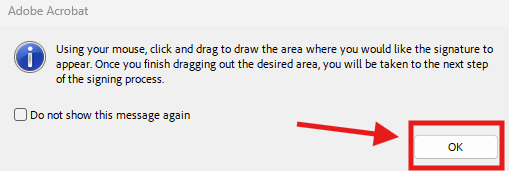
2. Select “Digitally sign”, then “OK” on the popup window.
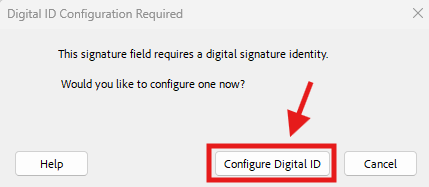
3. After creating the area where you would like to add the signature, select “Configure Digital ID”
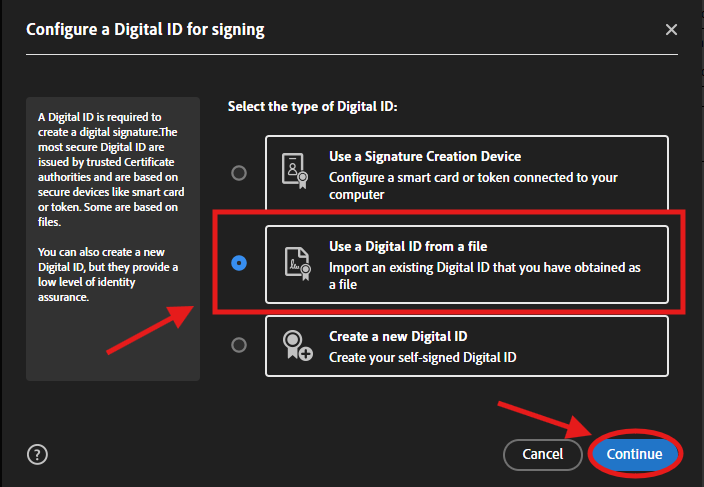
4. If using IdenTrust certificate for digital signature, select “Use a Digital ID from a file”, then “Continue”
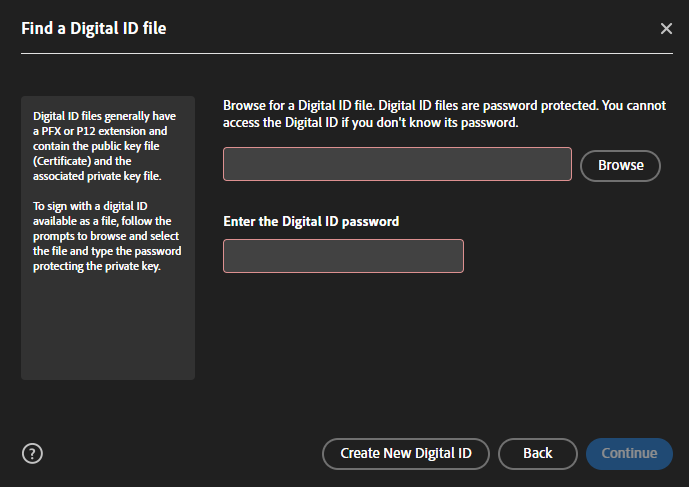
5. Browse for the location where your IdenTrust certificate is saved. If done correctly, you should have created a password for it when it was originally purchased and installed.
6. Please reach out to IT Helpdesk f you need further assistance in getting this setup or if you need help getting your IdenTrust certificate.

