


Hello, this article will walk you through delegating your calendar, tasks, or mailbox to allow someone else to read and/or take action on your behalf.
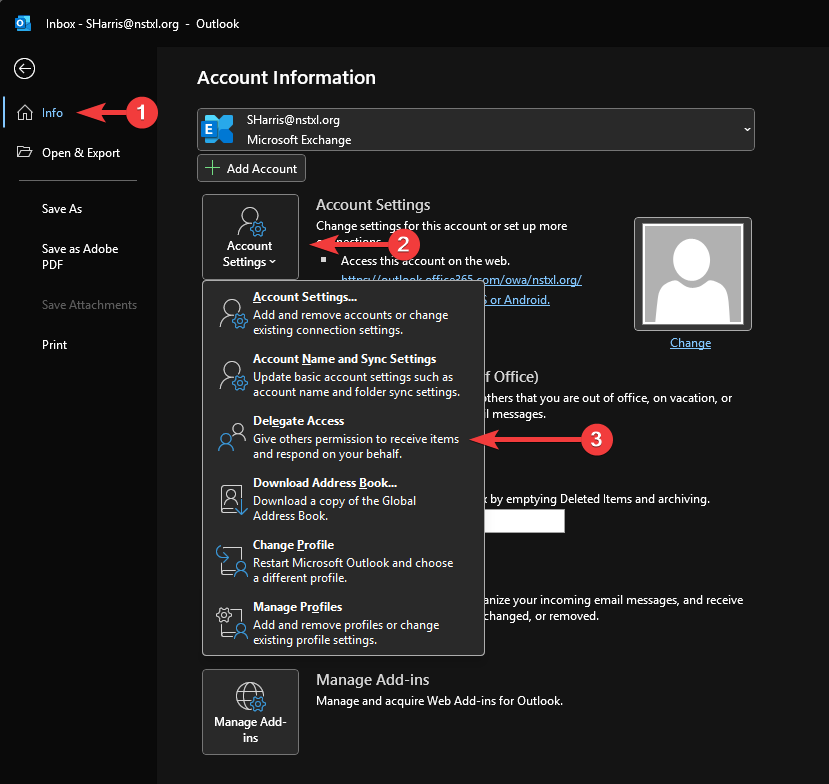
1. In Outlook desktop (classic), go to File > Info > Account Settings > Delegate Access
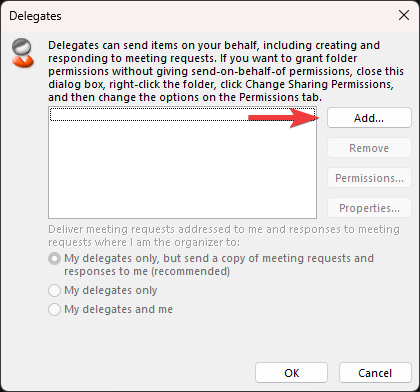
2. Click Add...
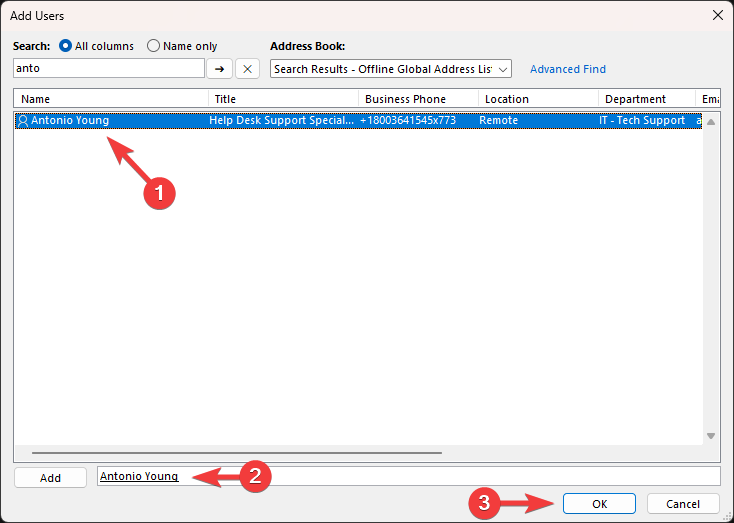
3. Search for the person you wish to share access with and double-click them to add them to the field at the bottom. You can add as many people as needed. Once you are done adding people, click OK at the bottom.
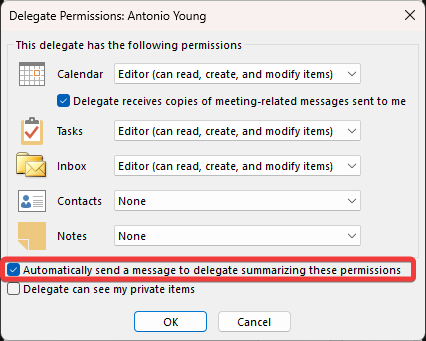
4. Select what type of permissions you wish to give the delegated person for each item (likely Calendar, Tasks, and Inbox. Check the box that says "Automatically send a message to delegate summarizing these permissions" to send the person a notification, when click OK at the bottom.
5. The delegate will receive an email notifying them of their access permissions. Accessing the delegated mailbox/calendar is achieved the same way as adding a shared mailbox. See how to sync a shared mailbox.

