

Email Encryption Errors

Last updated: Mar 17, 2026
54
views

Encryption Email Errors
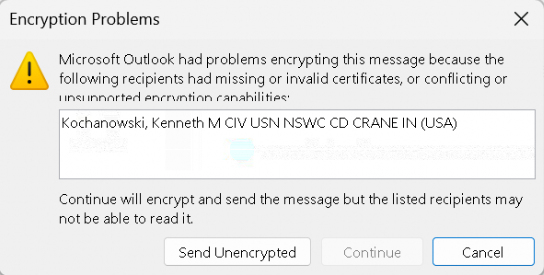
If you get the following error when attempting to respond to an encrypted email, please try the steps below in order to resolve:
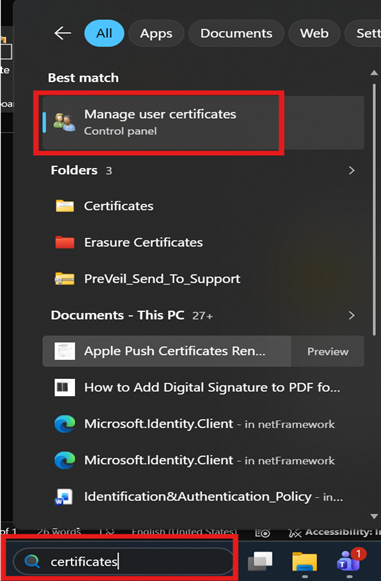
In the Windows search bar, type in “certificates” then open “Manage user certificates"
Select “Yes” on the User Account Control pop-up.
In the Certificate Manager window, expand “Other People” then select “Certificates”
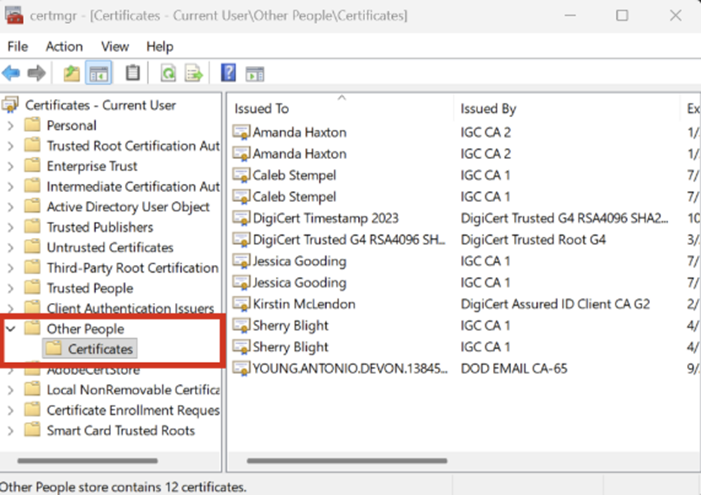
Select and delete the certificates for the user you’re trying to reply to.
You should then be able to reply without error, and the certificates for the user you deleted should automatically update and restore.
If you still continue to get errors or need any assistance, feel free to submit a Help Desk ticket!

